Songwriter with lyrics
You have verses and a chorus but no recorded singer.
Request a sung song, then listen for missed words and unnatural phrasing. A text-first approach may suit your starting material.
free ai music generator from textVocal-first guide
Vocal generation and uploading a recording are different workflows. The linked Kyncept Suno route creates two tracks from a text prompt, not a vocal upload; the request costs four credits, and its three signup credits are insufficient on their own.
This example stays on Aisongs. Sign in and choose or create a folder before entering your own prompt at Kyncept. Suno creates two tracks per request at two credits per track (four total); the three signup credits do not cover that first request. Check usage rights before publishing.
Example to copy yourself
Create a mellow indie-pop song with a warm lead vocal, restrained drums, and a hopeful chorus about starting over.

The first decision is whether the voice is an input you already have or an output you want the tool to create.
You have verses and a chorus but no recorded singer.
Request a sung song, then listen for missed words and unnatural phrasing. A text-first approach may suit your starting material.
free ai music generator from textYou have a rough vocal take and want accompaniment.
Check for an audio-input control before expecting the tool to follow your timing or pitch. For an instrumental starting point, consider a melody-led workflow.
free ai melody generatorYou need a short, vocal-led concept for a scene.
Specify the mood and lyrical subject, then check the generated words before placing the song against the edit.
free ai music generator from textYou can hum a tune but have not settled on lyrics.
Work out the hook first; add a vocal brief only when the melody and intended mood agree.
free ai melody generatorStarting material
Recorded-vocal input
A vocal recording supplied by you
Generated-vocal output
A written song or vocal description
What stays recognizable
Recorded-vocal input
Your performance, if the tool supports and preserves it
Generated-vocal output
Your requested theme or lyrics, subject to the result
Timing
Recorded-vocal input
May follow the supplied performance
Generated-vocal output
Usually decided during generation
Voice identity
Recorded-vocal input
Requires careful attention to consent and tool permissions
Generated-vocal output
Depends on the generated voice and available controls
Common failure
Recorded-vocal input
Backing clashes with breaths or phrasing
Generated-vocal output
Sung words differ from the requested lyrics
First check
Recorded-vocal input
Confirm that audio upload is offered
Generated-vocal output
Confirm that vocals, rather than only instrumentals, are offered
A vocal idea carries more than notes. Breath, emphasis, timing, and the meaning of a line can change when a song is generated around it.

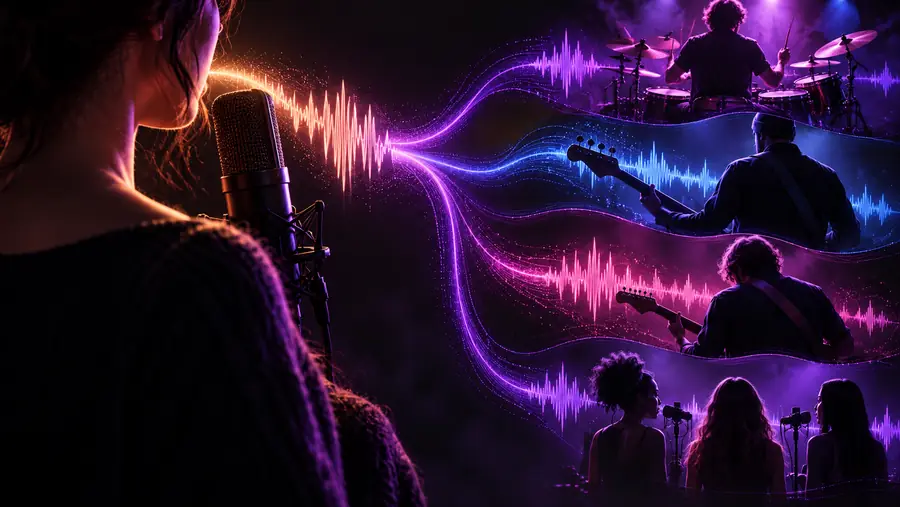 Vocal idea
Song concept
Vocal idea
Song concept
Illustrative images, not an audio comparison. Listen to the actual result to judge what changed.
Vocal ideaSong conceptVocal generation developed alongside broader AI audio research. That history does not establish which controls are available through the current Aisongs link.
Research showed that neural models could generate audio waveforms, an early foundation for later work on synthetic voices.
OpenAI published research on music generation that included singing, though research examples were not a simple vocal-editing workflow.
Public models such as MusicGen made written descriptions a familiar way to request music concepts.
Tools including Suno made prompt-based songs with vocals more visible. Available inputs and usage terms still depend on the specific tool.
Do not treat a convincing first listen as proof that the song followed your brief or that you can use it anywhere.
A tool that generates singing from text does not necessarily let you upload a vocal take or retain your voice.
Workaround
Inspect the input controls before preparing a demo; if there is no audio input, describe the desired vocal instead.
Generated vocals can omit, repeat, or mispronounce words, particularly names and tightly packed lines.
Workaround
Read along while listening and revise short, troublesome phrases before trying another version.
Similarity to a recognizable singer can raise consent and rights concerns, regardless of how the sound was produced.
Workaround
Avoid requesting someone else's identifiable voice and check the tool's current terms before publishing.
The word free in a search query does not guarantee that vocal generation, downloads, or commercial use are included.
Workaround
Check the current controls and terms at the destination before relying on a particular workflow.
Describe the singer's tone, the lyrical subject, and the arrangement in separate, concrete phrases. Then compare the result with your brief: are the words intelligible, does the chorus land, and does the voice suit the song?
Create a songNo. A tool can generate sung vocals from a text prompt without accepting a recording from you. Check its input controls if you need it to work from your own performance.
Describe the intended vocal clearly in your prompt and check whether the destination offers vocal output. Listen to the result rather than assuming every generation will contain the voice or words you requested.
Not necessarily. Words can be changed, repeated, or pronounced unexpectedly, so compare the audio against your lyric sheet before sharing it.
Only if the tool offers an appropriate audio-input workflow; a text box alone does not establish that capability. Use recordings you have permission to provide, and check what the tool says it may do with uploaded audio.
Do not assume that it does. Access, downloads, and permitted uses can have different terms, so review the destination's current rules before publishing or using a song commercially.